
If you've lost or forgotten your ERM Libryo Assess password, you can reset it directly from the login screen. If you're setting up your account for the first time instead, see the Logging In article.
Reset a forgotten password
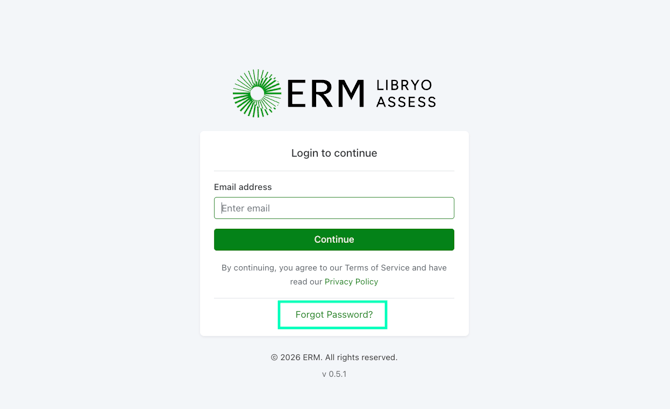
1. On the login screen, click Forgot Password.
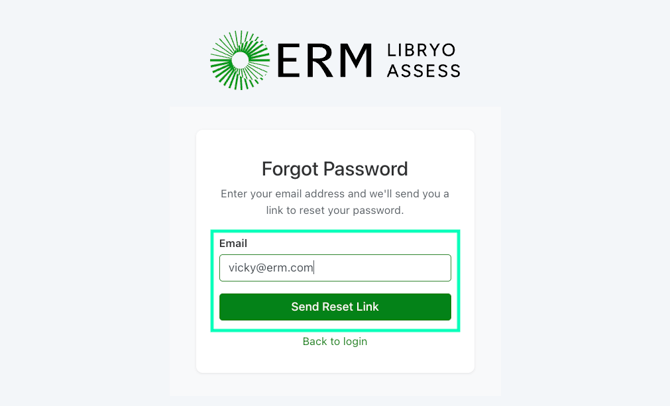
2. Enter you Email address and click Send Reset Link.
3. Check your email and follow the instructions to reset your password. If you already have an account associated with the email address, you will receive a Reset Password link.
Important Note: This password reset link will expire in 60 minutes due to security settings.
Have any questions?
At Libryo, we really want all our users to get the most from our application. If you have any questions or require further support, please contact us.