
Last updated: 18 Mar 2026
The Global Search tool is useful for finding exactly what you need and saving time.
With just one move you have the ability to search across all modules of the platform. With access to the content available throughout the application, you avoid the effort of having to find the exact section containing what you are looking for.
Check the step-by-step below.
How to Use the Global Search Function
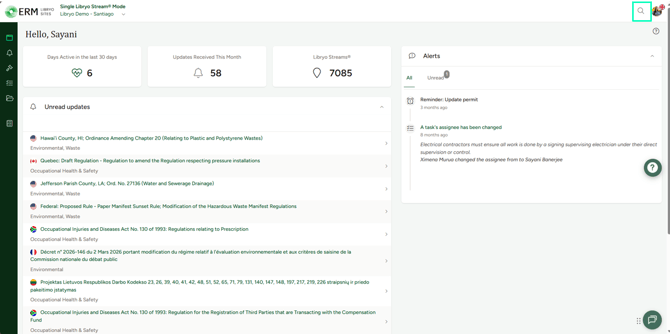
1. To open the Global Search, simply click on  in the top right corner of your screen.
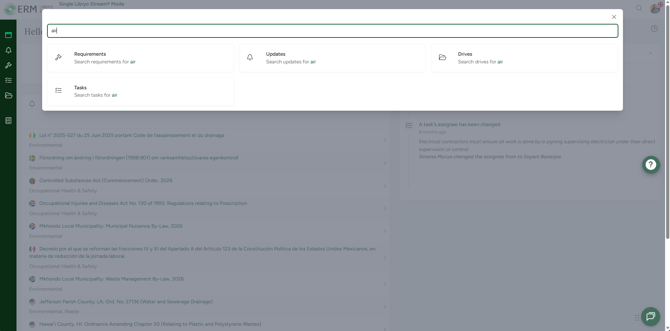
2. In the search field, start typing the relevant term and the system will display the options of Requirements, Updates, Tasks and Drives related to it.
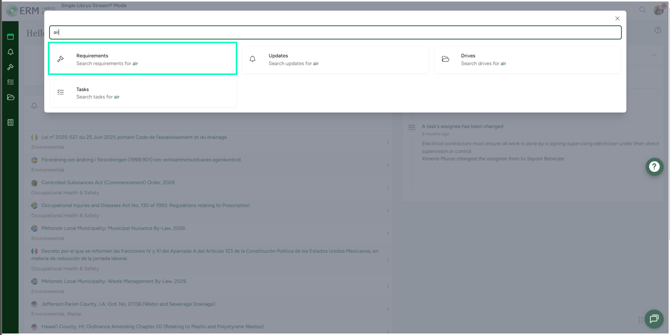
3. Click on the module where you want to search the corresponding term.
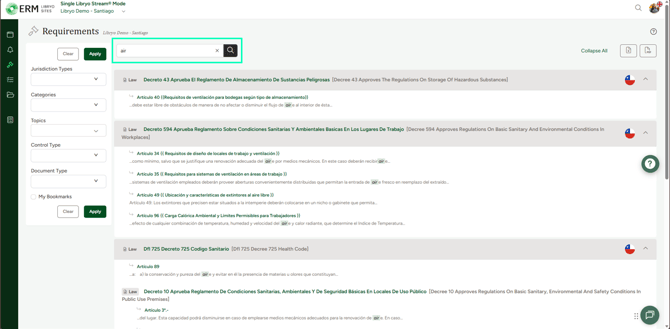
4. You will be redirected to the required module and you can complete your search using the filters available in each section.
Filtering Options
To make your search even more specific and precise, Libryo Sites gives you the ability to use filters, narrowing down your results.
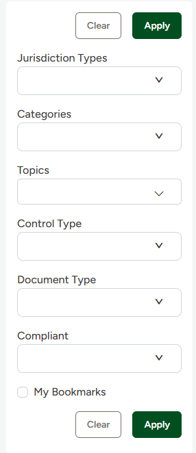
To learn how to use the filter options available in each module click here.
Have any questions?
At Libryo, we really want all our users to get the most from our system. We hope that this article was useful. If you still have some questions, please email us.