
The Activity Log records all actions taken across ERM Libryo Assess, giving you a full history to review when you need to check what changed, who made a change, and when.
View the Activity Log
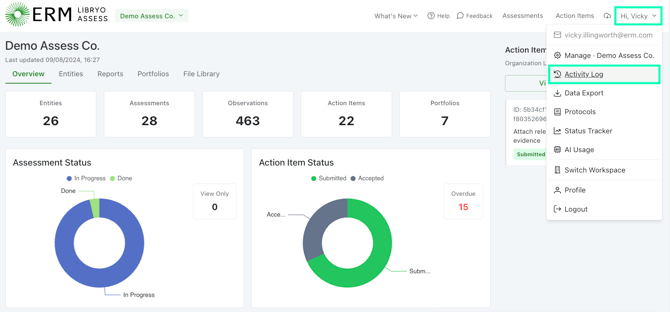
1. Open the top-right menu and select Activity Log.
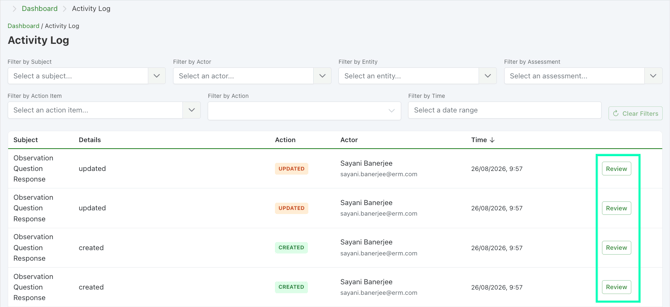
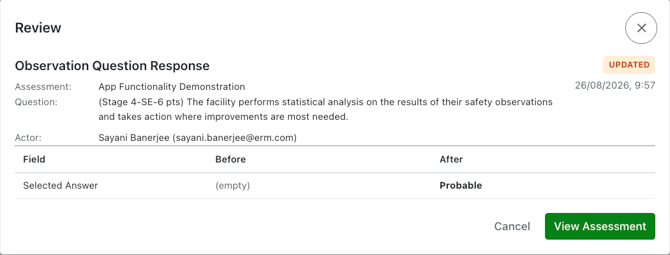
2. Apply Filters if needed to narrow down the results and then click Review.
💡 Good to know
- The Activity Log isn't only a record, it's also where you can restore certain deleted items, such as deleted assessment tags, entity tags, or action item tags, so changes are often reversible if needed.
- Every status change made to an assessment is also logged, showing who made the change, the action taken, the from/to status, and a timestamp.
Have any questions?
At Libryo, we really want all our users to get the most from our application. If you have any questions or require further support, please contact us.